
ALTARA / DISCORD ALTERNATIVE
A Discord alternative with the essentials your group uses.
Servers, channels, voice, DMs and a dashboard built around your people. ALTARA brings the conversations and everyday tools your group uses into one place.
Free core app · Open beta · Windows, Linux x64, macOS and web
THE FEATURES THAT MATTER
Made for conversations that last.
Four reasons to bring your friends, gaming group or small community to ALTARA.
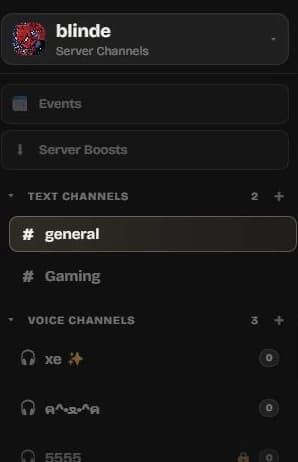
Give your group its own place.
Build a server with text and voice channels, categories, roles and permissions. Keep the game plan, everyday chat and the people who run it together.
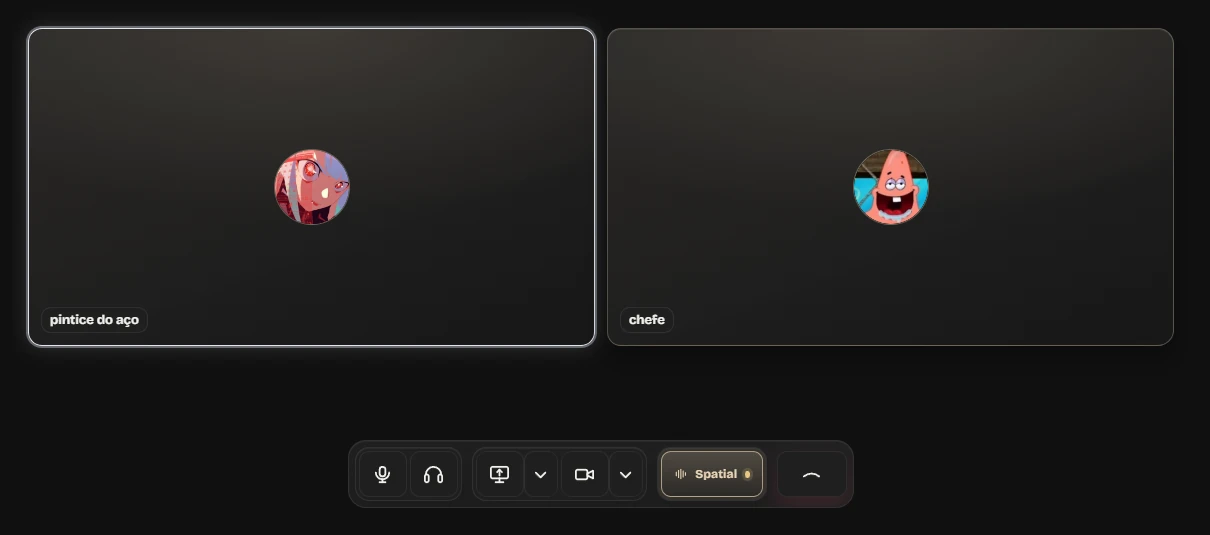
Talk while you play.
Jump into voice channels, use Spatial Audio and share your screen when the group needs to see the same thing.
Keep the smaller conversations close.
Send one-to-one or group DMs, react to messages, share GIFs and files. Your channels stay organized while side conversations have room to breathe.
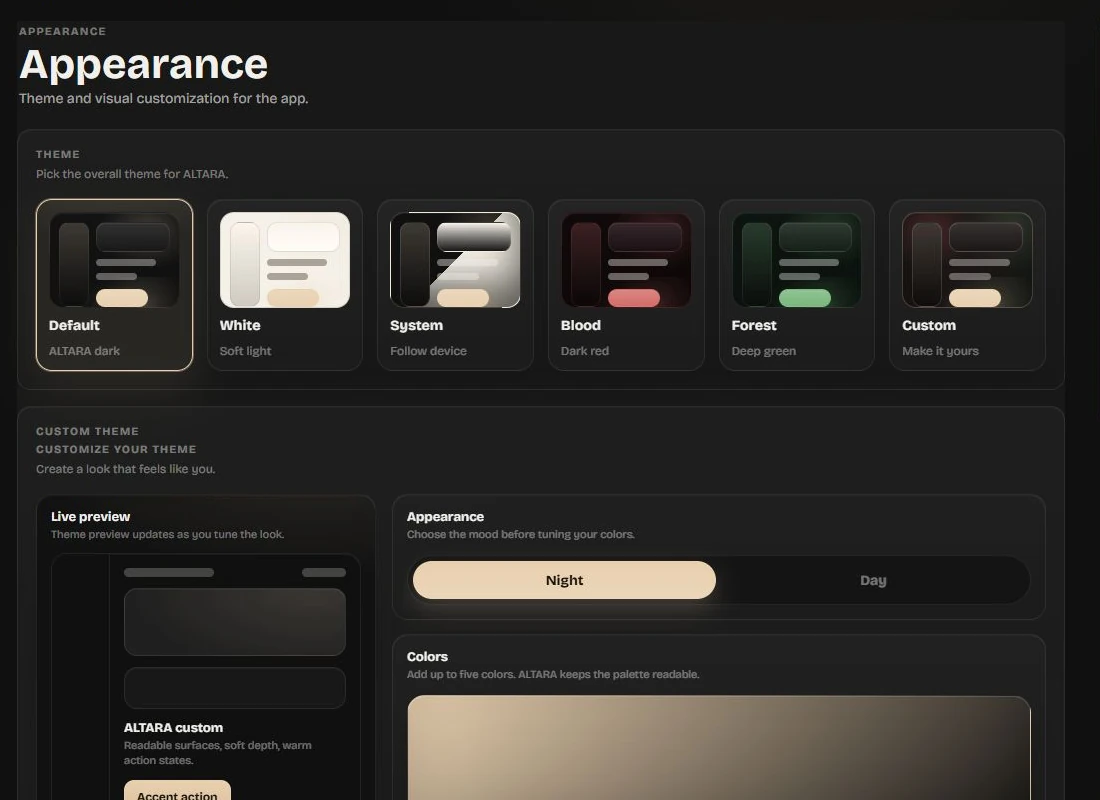
Make the space feel like yours.
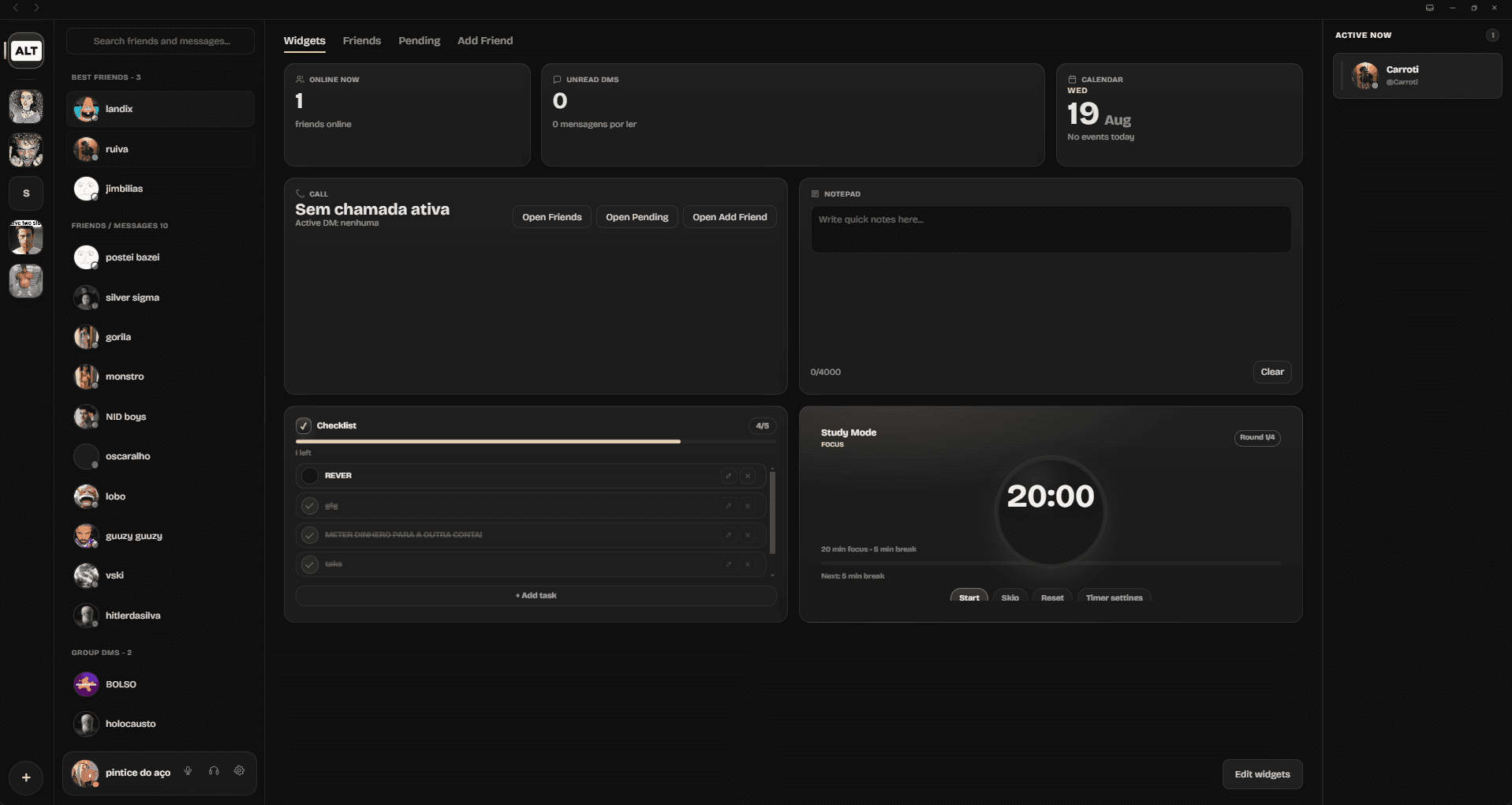
Choose a theme and tune the look of ALTARA. Your home screen brings friends, calls and unread DMs together with calendar, checklist, notepad and Study Mode widgets.
AT A GLANCE
Everything ALTARA brings to the table.
Here is the current feature set, grouped by what you need to do. Explore features in more detail.
Your community
- Servers for friend groups and communities
- Text and voice channels
- Channel categories
- Roles and permissions
- Tools to manage who can post or moderate
Conversations
- One-to-one and group DMs
- Voice calls and server voice channels
- Spatial Audio in voice channels
- Screen sharing
- Message reactions and GIFs
- Image and file sharing, up to 25MB on the free tier
Your space
- Personal widgets dashboard
- Friends and Best Friends in the sidebar
- Calendar, checklist and notepad
- Study Mode focus timer
- Online, idle, Focus and Do Not Disturb presence
- Active Now and unread DM widgets
- Themes, backgrounds and accent colors
Ways to join
- Browser access
- Windows desktop app
- Linux x64 desktop packages
- macOS downloads for Apple Silicon and Intel
- Free core app with optional ALTARA+ limits and extras
BEFORE YOU MOVE
See if ALTARA fits your group.
ALTARA is in open beta. The core app is free to use; ALTARA+ adds higher limits and optional extras. Start in your browser, or choose a desktop download for a supported computer.
Want the details first? Check the FAQ and platform answers, or read the privacy policy before bringing your group over.
MOVING YOUR GROUP
Try a smaller move first.
Start with the friends who regularly talk together. Create a server, add a few text and voice channels, then invite everyone to test a real conversation or game night. That tells you more than a feature checklist.
If your community relies on a particular bot, workflow or moderation setup, check those needs before moving everyone. ALTARA is still in open beta, and the current features and platform answers are the best place to confirm what is ready.
For a gaming group, test voice and screen sharing together. For a community, set up roles and permissions before inviting members. You can start in a browser and choose a desktop app later.
YOUR PEOPLE ARE THE POINT
Make room for your group on ALTARA.
Try the browser app now, or choose a desktop download for Windows, Linux x64 or macOS.